Export personal data
Using Export Personal Data
Export Personal Data tool can generate a (.zip format) file containing the personal data which exists about a user including: tester profile, bug and media uploaded, payment requests.
Basic Usage
Export Personal Data tool uses email validation to send a user’s request to an administrator. The user will receive an email used to verify the email address, we cannot send any data without user verification.
- Select Tools -> Export Personal Data from Administration Screens.
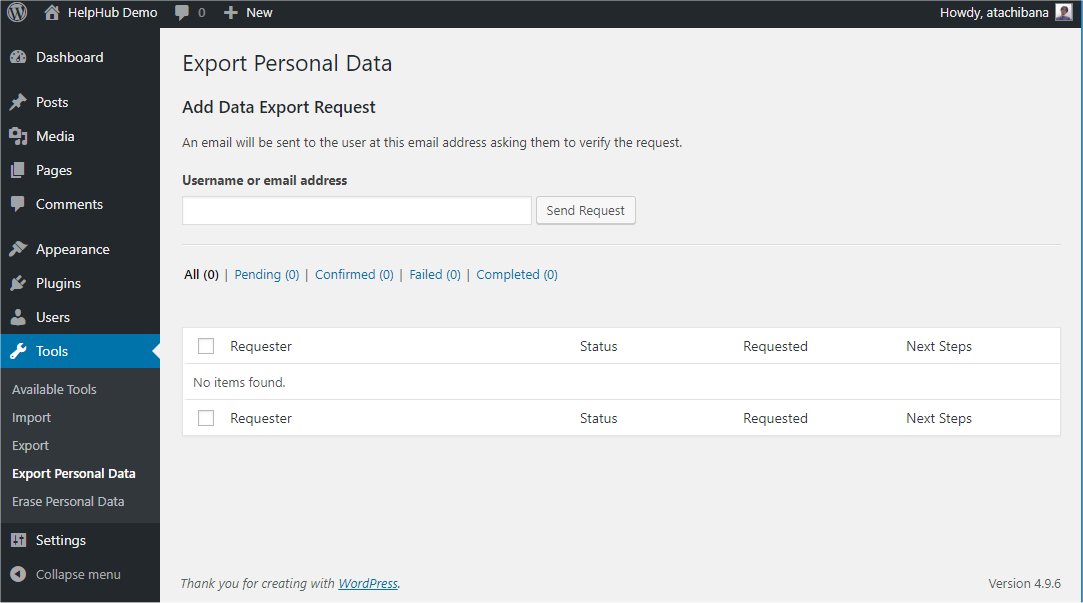
- Specify Username or email address and click Send Request.
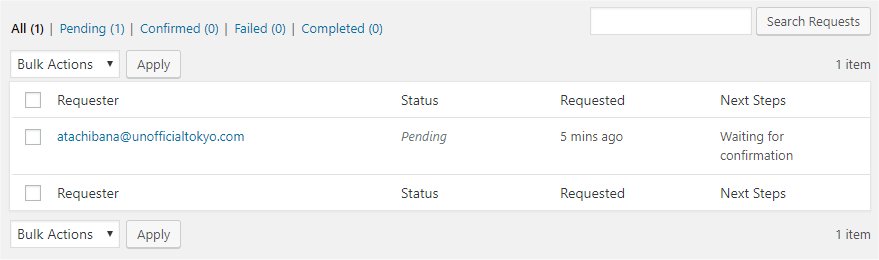
If Confirmation request initiated successfully, the request will be shown in below Requester Table and Status will be changed to Pending.
User will receive the following mail with subject ‘[<site_name>] Confirm Action: Extract Personal Data’.
Howdy,
A request has been made to perform the following action on your account:
     Export Personal Data
To confirm this, please click on the following link:
https://<site_address>/wp-login.php?action=confirmaction&request_id=94&confirm_key=99rqZB4CcRct8JwL55Ov
You can safely ignore and delete this email if you do not want to
take this action.
This email has been sent to atachibana@unofficialtokyo.com.
Regards,
All at Crowd AppQuality
`https://crowd.app-quality.com`
- If user click link in the mail, below page is shown.
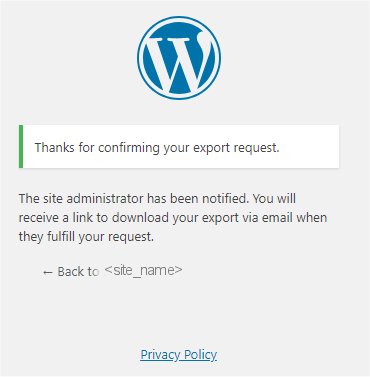
At the same time, the Status of Request will be changed to Confirmed, and Next Steps shows Email Data button.
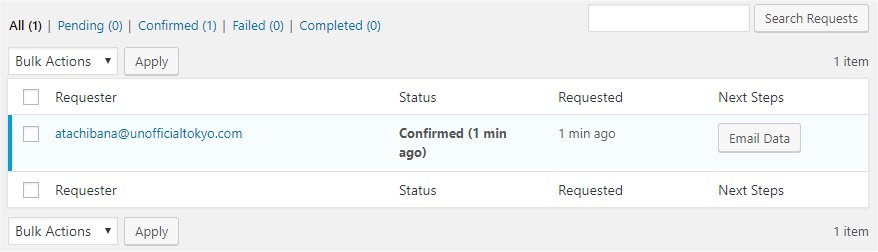
- Click Email Data.
Next Steps will be changed to Email Sent.
User will receive following mail with subject ‘[Crowd AppQuality] Personal Data Export’.
Howdy,
Your request for an export of personal data has been completed. You may
download your personal data by clicking on the link below. For privacy
and security, we will automatically delete the file on <expired_date>,
so please download it before then.
`https://crowd.app-quality.com/wp-content/uploads/sites/3/wp-personal-data-exports/wp-personal-data-file-atachibana-at-unofficialtokyo-com-TONWbmz8GqwFi5ScUBTrClel0zc4DkU0.zip`
This email has been sent to atachibana@unofficialtokyo.com.
Regards,
All at Crowd AppQuality
`https://crowd.app-quality.com`
Note: Link is available only 48 hours.
- If user click the link,
.zipfile will be downloaded that includes one index.html file. For detail format, refer below section Exported Personal Data.
At the same time, the Status of Request will be changed to Completed, and Next Steps displays Remove request button.
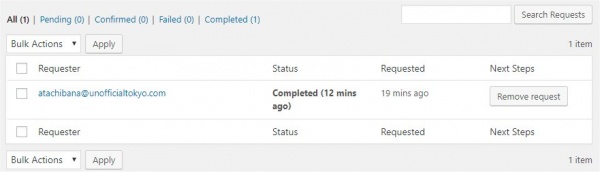
- Click Remove request. The request will be removed.
Note: There are no ‘Trash’ status such as Posts’.